

Your M365 Protection Set journey starts here
We help organizations secure their Microsoft 365 environment by scanning for misconfigurations and turning risks into guided, actionable Protection Sets.
Many M365 tenants are insecure, mismanaged, and difficult to maintain, leaving teams exposed to compliance and security gaps.
Our platform maps every finding to best-practice controls and walks your IT team step by step through remediation.
The result is a fully secure, compliant, and auditable environment that your team can manage confidently and efficiently.

The Philosophy

Technologies currently covered by Protection Sets
Entra ID
Intune
Defender for Endpoint
Defender for O365
Defender for Cloud Apps
Global Secure Access
Purview (E5 & Buss Prem)
EXO
OneDrive & SPO
Teams
Tenant
User Specific security
Predesigned license packs
Naming Conventions
Bitwarden
Copilot & AI
B2B
Windows Server
M365 DSC Export
Azure DevOps
Azure
Life Cycle tooling
Detailed Report tooling
Third Party Soc
Step 1: High-Level M365 Tenant Security Scan
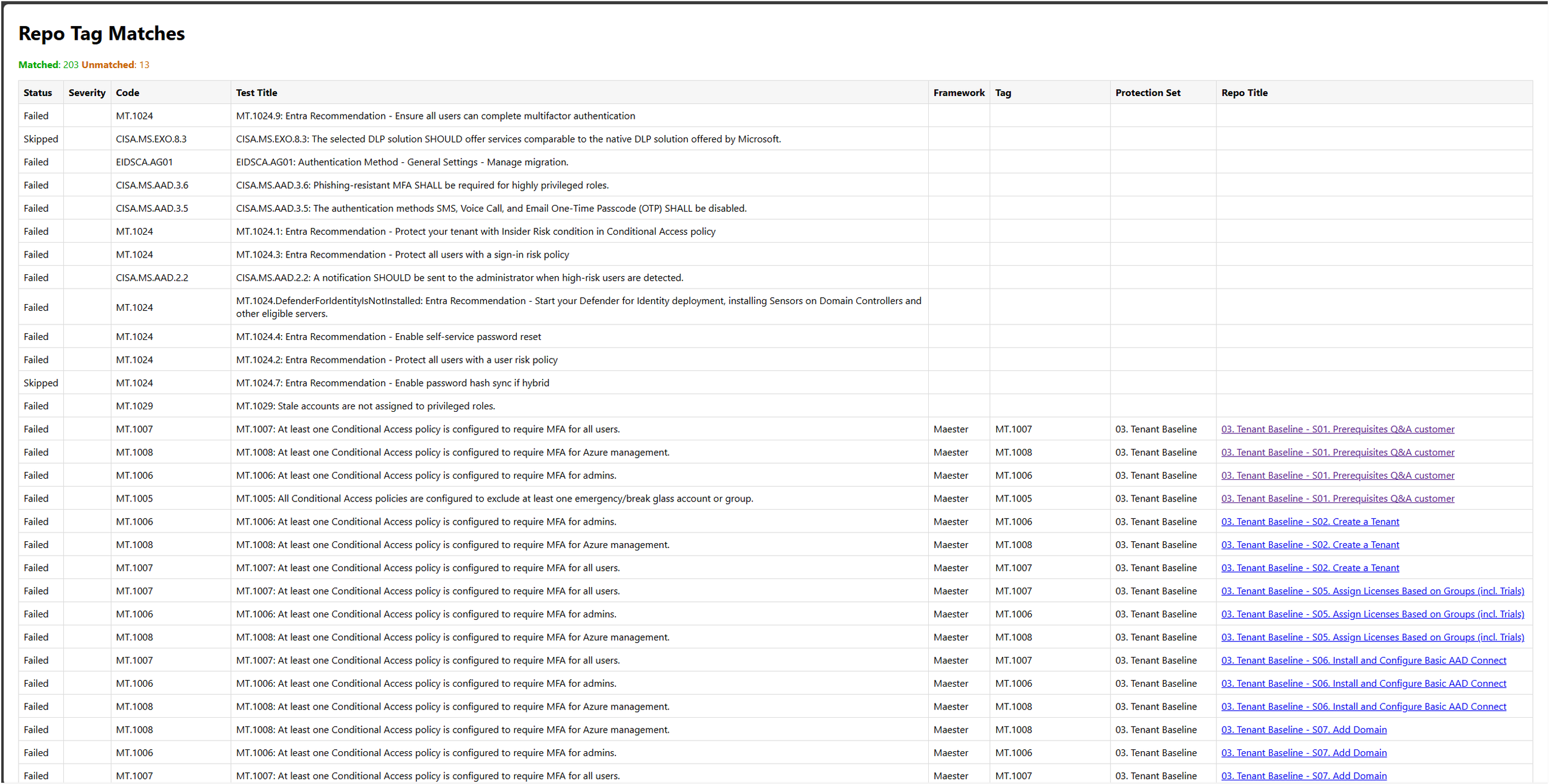
This scan generates a high level report based on CIS, EIDSCA, CISA SCUBA, Maester, Microsoft Best practices.
In this step the app DocuForgeMapper matches the scan results to the Protection Sets. With this step a report is generated to see what we can fix out of the box.
Step 2: eNGage Platform
From a Matched Security Scan to a Central, Secure Workplace
With NGage, you bring everything together — a Teams-integrated, centralized, and secure workspace designed to streamline collaboration and remediation.
Below is an overview of what NGage entails.
Combined with our advisors we offer a plan to match the action points to be taken.
eNgage Platform: Training Center
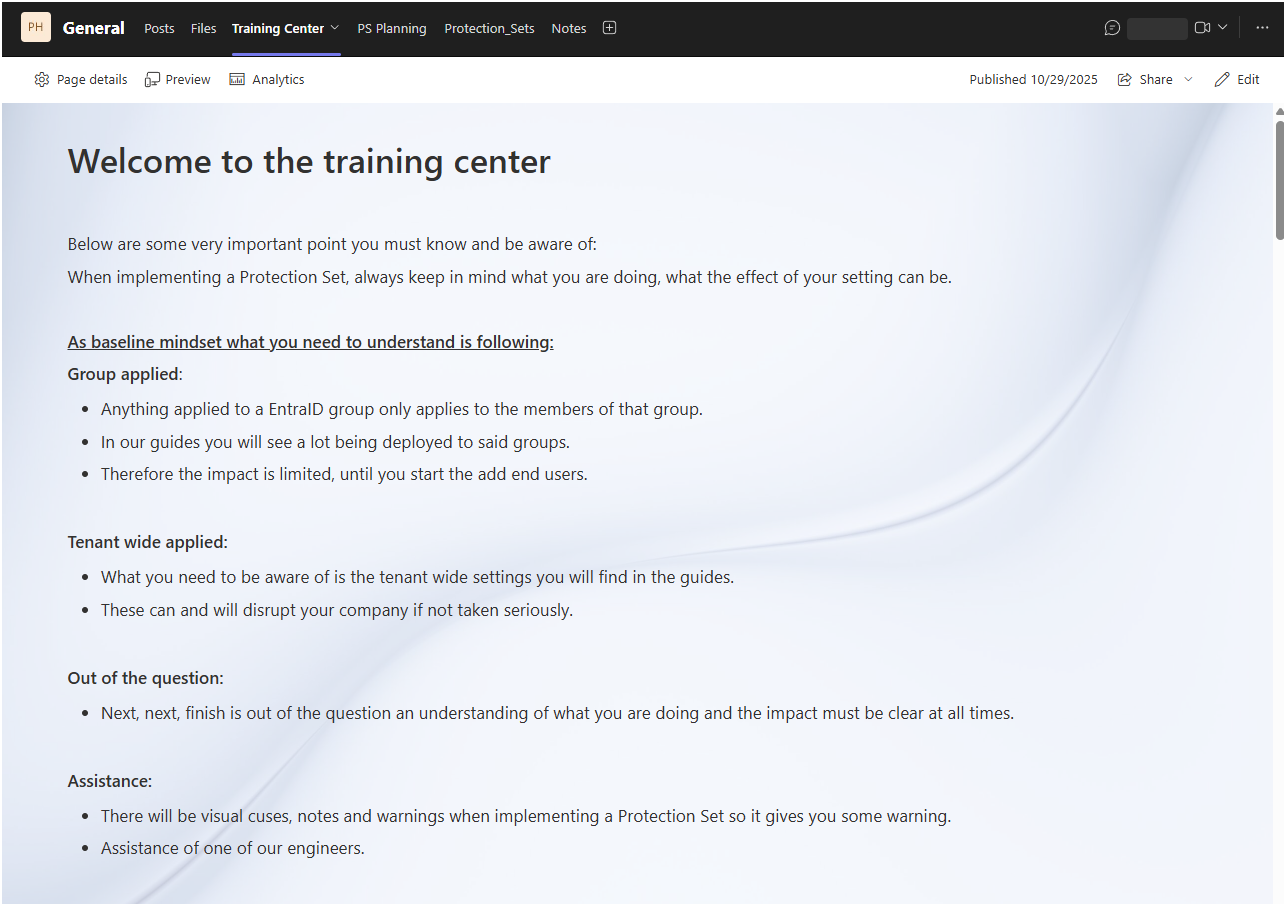
This is the first stop on your Protection Set journey.
Here you will find guidance on how everything works together and what your mindset should be.
Here you will find audio guides per Protection Set so you understand what will be done, what the possible impact is and how the mindset should be.
eNgage Platform: Protection Set Planning
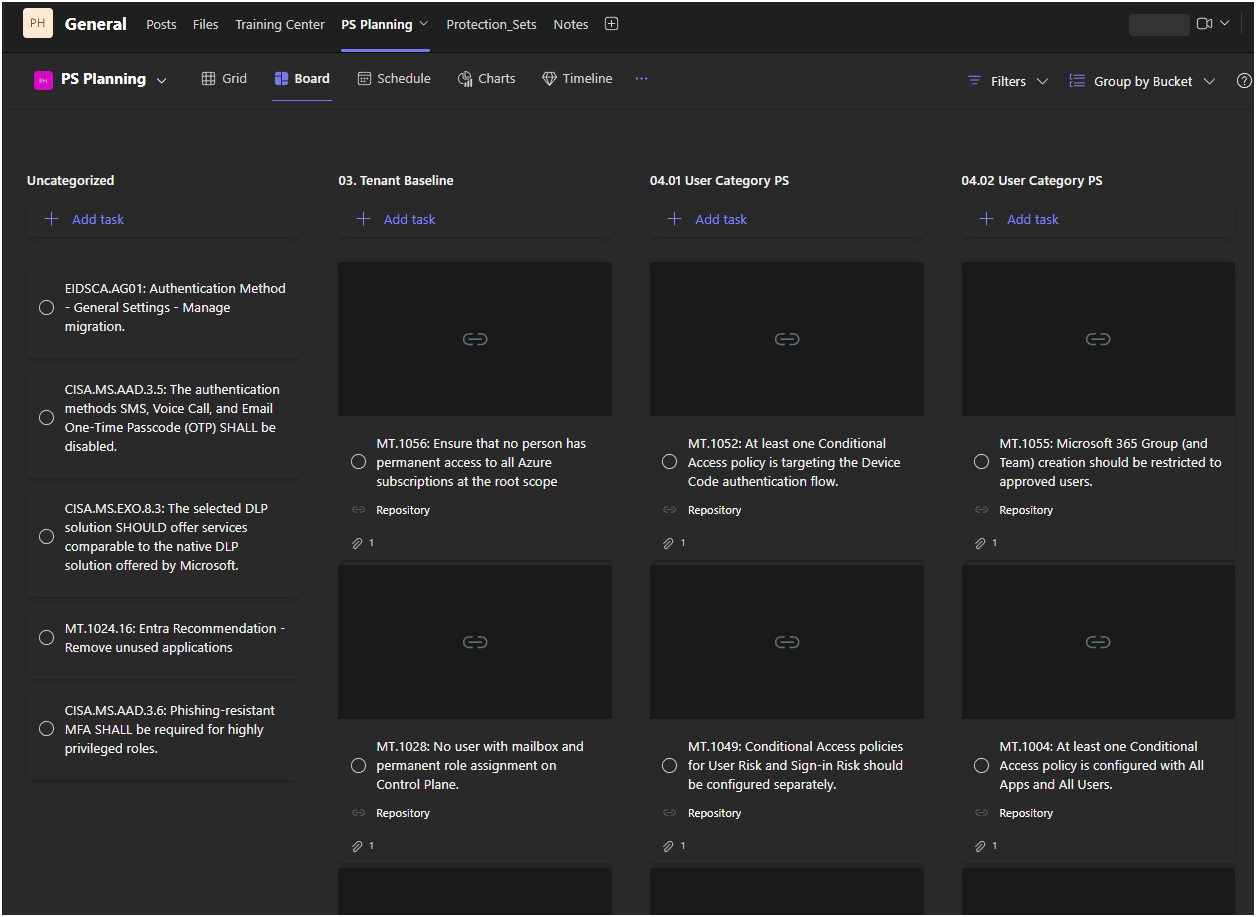
All the tasks are imported in Microsoft Planner. We create buckets based on the logical flow of each technology to keep the deployment method structured and logical.
Each flagged item from the test has its own tasks with a direct link to the document on how to fix it.
The idea here is to give you an overview of all urgent issues that require your attention before going over to a proactive state.
eNgage Platform: Protection Set Audio Guides and source pages
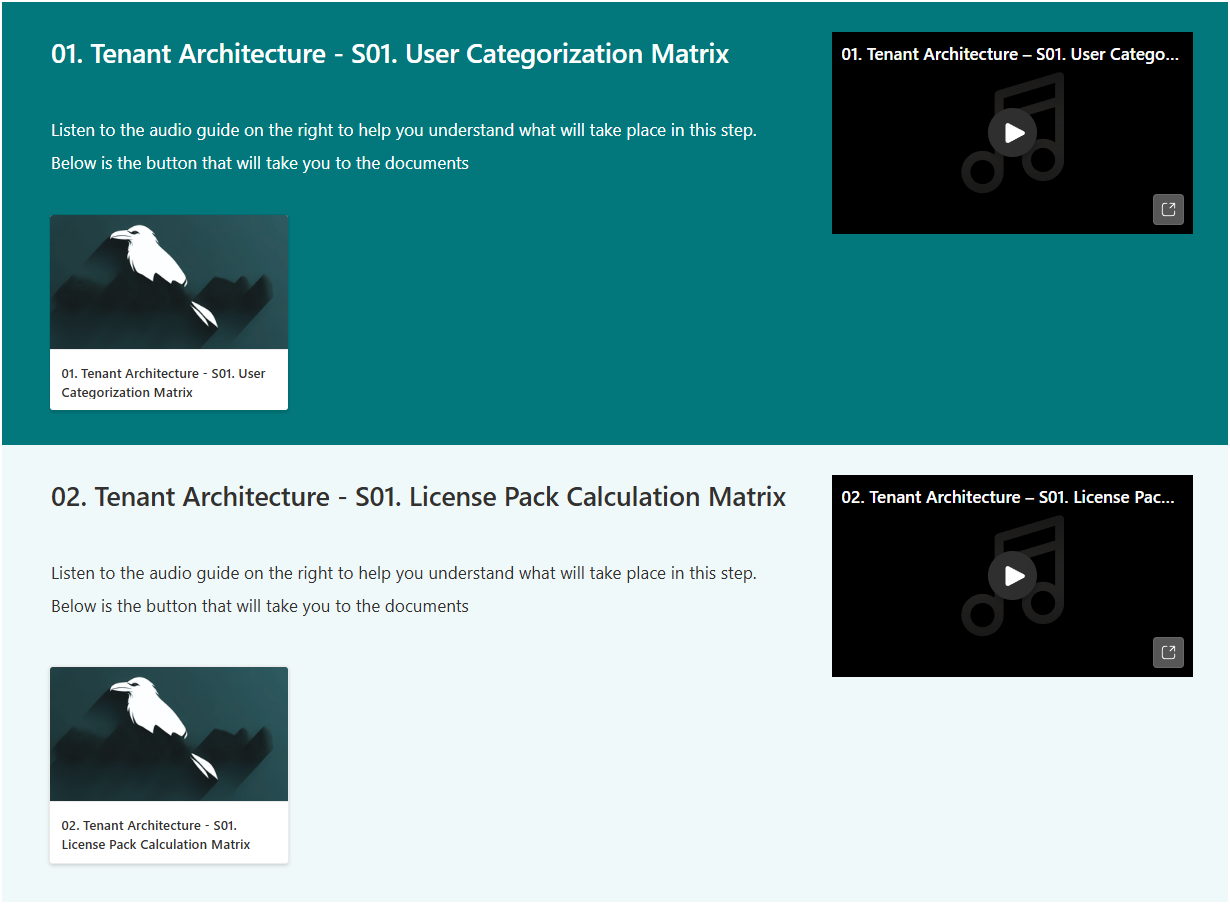
Each Protection Set has its own audio guide and dedicated page with all the required resources to make your journey into Protection Sets a success.
Here you will get a high level explanation of what is expected and how to approach the Protection Set and its rollout.
eNgage Platform: Documentation as you go
As you go through the guides and check your settings you can make screenshots so you have a As-Is build documentation ready to go.